Express Tractor Agricultural
Instructions:
TractorDescription
Express Tractor Agricultural Mobile & PC Control Guide
Control Scheme
- Arrow keys or WASD to steer the tractor and manage throttle direction
- Up arrow or W to accelerate down the dirt paths and open fields
- Down arrow or S to brake or reverse when you overshoot a turn
- Left/Right arrows or A/D to line up your rows before you commit to a pass
- On mobile, onscreen touch buttons mimic the same layout, so nothing gets lost switching devices
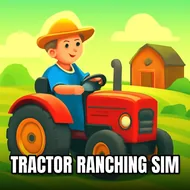
There's something oddly calming about hauling a tractor across a pixelated field with nowhere to be. Express Tractor Agricultural doesn't try to dress itself up with flashy mechanics or a story you need to follow. It just hands you a tractor, a patch of land, and lets you get on with the business of farming. The controls are simple enough that anyone can pick them up in a few seconds, but keeping your rows straight while managing speed on narrower paths takes a bit more focus than you'd expect at first glance. It's built for one player, and that's really the point — this is a quiet, single-session kind of game where you're not racing anyone but your own patience. The pacing sits somewhere between relaxing and mildly demanding, since clipping a fence or misjudging a turn will cost you time you didn't think mattered until it did. Fans of farm simulation stuff will recognize the rhythm instantly, and newcomers will probably find the low-pressure structure a nice break from twitchier genres.
Top Tips
- Ease off the throttle before sharp turns instead of braking mid-corner, since momentum carries further than it looks
- Keep your rows tight and consistent early on, it saves headaches later when the field gets busier
- Watch your tractor's positioning near obstacles, clipping them slows your whole run down
- Take wider paths at a steady pace rather than rushing, precision beats speed here
- Get comfortable with reverse controls early, backing out of tight spots is more common than you'd think